



The AI seminar that filled a Chamber conference room, now for your team.
Everyone's telling your team to use AI. Nobody's showing them where it actually fits their day. AI Training is a plain-English, hands-on session built from a live seminar that already worked, five habits and ten real use cases, demonstrated live against your own business. You don't just leave with notes. You leave with a Claude project set up for your business and one automation actually running.
A brief chat to scope the session. No obligation.
In-person or virtual, scheduled around your team's availability.
Guaranteed: your team leaves with techniques they can use that day, or your money back.
Generic AI advice is written for everyone, which means it's written for nobody
Your team has probably tried ChatGPT once or twice, gotten a mediocre answer, and gone back to doing it the old way. That's not a them problem. Most AI content is either breathless hype or a sales pitch for one particular tool.
What's missing is the specific part: which of the tasks your people do every week can actually be handed off, how to get AI to write in your voice instead of its own, and what's safe to put into a chatbot when you're handling client or company information.
A working session, not a lecture
This isn't a slide deck about the history of AI. It's a structured, hands-on session that teaches five habits that make every use of AI better, then proves each one live against a real task from your business, not a practice exercise.
I ask for a volunteer's task or a real example from your business, and I run it in front of the room. Everyone sees the actual output, not a canned demo, and leaves knowing exactly how to do it themselves on Monday.
Five habits that separate good results from frustration
Every use case in the session builds on these. Learn them once, and every future AI conversation gets better.
AI defaults to a generic voice for a generic audience. Thirty seconds of context about your business changes the vocabulary, the examples, and the tone.
Set it up once and start every new task from it instead of re-explaining your business every session.
Catching a wrong assumption at the outline stage takes 30 seconds. Catching it in a finished draft takes 15 minutes.
The first answer is AI's safest, most generic guess. The real value shows up after the second and third follow-up question.
AI is agreeable by default. One instruction turns it into a tool that actually pushes back before your team sends something out.
Real tasks, demonstrated live
Ten use cases, each shown with a real example and a plain-English cost or time hook. The first five are things your team does by hand today; the second five run on their own once set up.
Things you do yourself, faster
- Client emails and difficult conversations - a calm, professional reply in your own voice, in 10 seconds instead of 45 minutes
- Marketing content - one idea in, a LinkedIn post and newsletter intro out
- Document summarization - a 40-page policy or notice, summarized in plain English
- Meeting notes to follow-up - rough notes become a polished email and action list
- Proposals and scope of work - a professional draft in 90 seconds, not hours
AI that runs without you
These five are demonstrated, not installed for you. You'll see each one working and learn what goes into setting one up. You do leave with your own Claude project and one automation set up and running.
- Online booking and scheduling - stop losing every after-hours call
- Client intake forms - replace the paper form and the back-and-forth email
- Service reminders and follow-ups - set once, runs on every estimate or appointment forever
- Bulk feedback and review processing - the top themes from 200 reviews in 10 seconds
- Competitor review mining - what your competitor's unhappy customers wanted, and how to position against it
Which of these matter most depends on your team. An accounting firm and a contracting crew get very different emphasis, and that's decided on the pre-session call, not guessed at.
To be clear about the line: I'm not installing a booking system or building your intake form during the session. Those are demonstrated so you can see how they work and what goes into one. What we do set up together is on the AI side, and you keep it: a Claude project holding your business context, and one automated agent that runs a real task for you on a schedule. Once you've seen both up close, the rest stops looking like a mystery.
Sized to fit how you work
Every tier runs the same core session, the five habits and the use cases most relevant to your business, adjusted for group size and how deep you want to go. Full pricing is below.
Simple from start to finish
A brief chat about your team, its size, and what your people actually spend their week doing.
A quick conversation about your industry and your customers, so the live demos land on tasks your team recognizes.
Ninety minutes solo, or a two-hour working session for a team: the five habits, then the use cases most relevant to your business, worked through on your actual work, not practice exercises.
We build a Claude project together, holding your business operations, writing guidelines, and offerings, so you stop re-explaining your business every time. Then we set up one automated agent that does a real task for you. Both double as templates for the next ones you make. Solo sessions also keep a one-page prompt sheet; team sessions keep a shared prompt library the office can keep adding to.
Questions that come up after the session go to me directly for 30 days. No separate support contract needed to ask a follow-up question.
What's safe to put into an AI tool, and what isn't
If your team handles client financial, medical, or personal information, this is usually the first question someone asks, and it's rarely answered honestly in a generic AI training.
Every session includes a plain-English segment on what's safe to paste into an AI tool, what shouldn't go anywhere near one, and the real difference between a business account and the free consumer version someone signed up for with a personal email. For regulated industries, I'll also cover what to ask a vendor about HIPAA and SOC 2, and what California's CIPA privacy law means for chatbots and tracking tools on your own website.
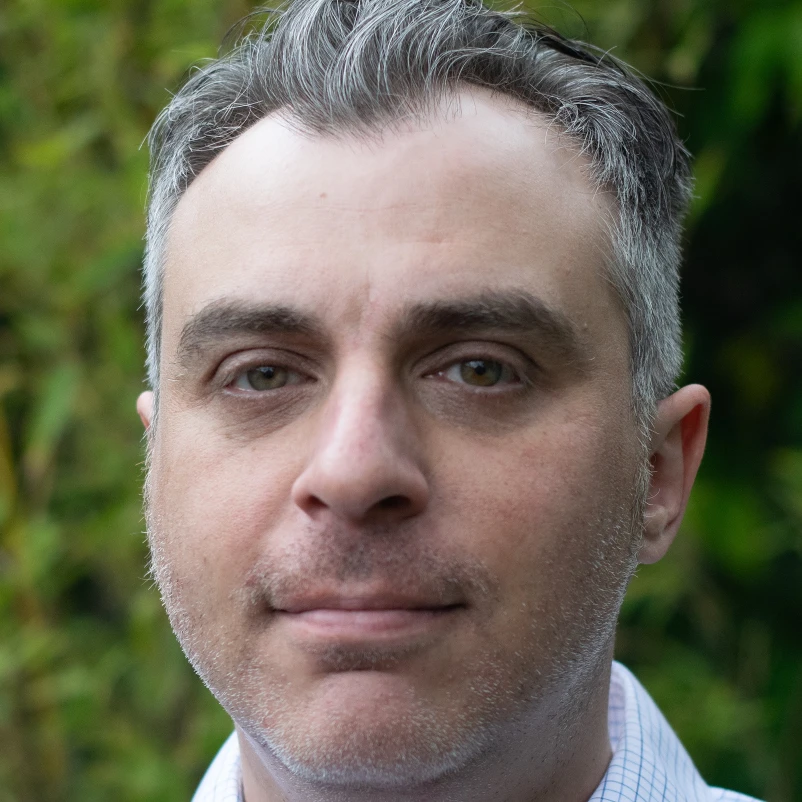
Corey Klass
I spent 30 years in corporate IT and operations, working on the systems and training that keep organizations running. I've spent the last few years running AI and automation daily inside my own small business, which is a very different exercise from reading about it.
This session grew out of a live 90-minute seminar I ran for the Concord Chamber of Commerce, "Finally, AI That Makes Sense", built specifically for non-technical small business owners after watching a competing AI seminar leave its audience with a product pitch and nothing to reference afterward.
I work with accountants, bookkeepers, insurance brokers, financial advisors, consultants, real estate professionals, contractors, and corporate teams in and beyond the SF East Bay who want a session that actually lands with a non-technical room.
Built for a room that's never had AI explained in plain English
Best suited for teams that:
- Know AI could help but nobody's shown them where to start
- Have one person who's figured it out and everyone else who hasn't
- Want a session that lands with non-technical staff, not developers
- Handle client information and need a straight answer on what's safe
- Tried a generic AI training before and it turned into a product pitch
Common bookings include:
- Solo owners who want the five habits without waiting for a group
- Accounting, insurance, and financial services teams
- Real estate offices and brokerages
- Contractor and trade business crews
- Corporate departments booking an in-house session
Sized for who's in the room
Every tier runs the same five habits and real-work format. The difference is group size, session length, and how much customization goes into it.
- 90-minute session, just you, virtual or in-person
- The five habits, worked through on your own work
- A Claude project built with you, loaded with your business context
- One automated AI agent set up and running a real task
- A one-page prompt sheet to keep
- A 15-minute check-in a couple of weeks later
+ $150 for a written action plan ($400 total) - the best 3-5 places AI would save you time, ranked now/soon/later, delivered within 5 business days.
Best for: A sole owner who wants this without waiting to fill a room.
- Two-hour session, on-site or virtual, up to about 5 people
- Worked through on your team's real work, not practice exercises
- A shared Claude project built with your team, loaded with your business context
- One automated AI agent set up and running a real task
- A shared prompt library your office keeps and can keep adding to
- Plain-English notes on what's safe to put into an AI tool
+ $150 for a written action plan ($850 total) - the best 3-5 places AI would save your team time, ranked now/soon/later, delivered within 5 business days.
Best for: A small office of a few to about 5 people who want to build the habit together.
- Larger groups, multiple sessions, or multiple departments
- Content scoped to your department's actual workflows
- On-site or virtual, scheduled around shift or department constraints
- A shared Claude project and a working automation built during the session
- Custom takeaway materials
+ Starting at $200 for a written action plan - scoped to the size of the plan and the number of departments it covers.
Best for: Corporate teams that need something bigger than a single team session.
In-person delivery is included within the SF East Bay service area. Outside that area, travel is billed separately at cost, confirmed before booking. Want ongoing help after the session? Ask about monthly AI support during your consultation.
If your team doesn't leave with techniques they can use that day, I'll refund the session in full. No questions asked.
Is this the same as the AI Checkup?
No. AI Training is a working session that teaches the habits and use cases directly, and builds a Claude project and one running automation with you in the room. The AI Checkup is a 1:1 review of your specific business with a ranked written plan. Some clients do both.
Do you customize the content for our industry?
Yes. A short pre-session call covers what your team does and who your customers are, and the live demos are built around your business, not a generic example.
Can I add a written action plan?
Yes, on any tier: the best 3-5 places AI and automation would save you time, ranked into now/soon/later with tools named for each, delivered within 5 business days. It's +$150 on the Solo or Small Business Team tiers, and starts at $200 on Corporate/Custom, scoped to the size of the plan.
What this isn't
It's worth saying plainly what you're not buying, so there are no surprises:
- This is group education, not a personalized written plan for your business. That's the AI Checkup.
- I work with off-the-shelf tools: Claude, ChatGPT, automation apps, and the AI features already sitting inside software your team owns.
- I don't build custom AI models. If that's genuinely what you need, I'll tell you and point you elsewhere.
- You leave with one Claude project and one automation working. Wiring AI through the systems you already run is bigger work, scoped separately.
This teaches the room. The AI Checkup builds the plan.
AI Training gets your whole team using the same five habits and the use cases that fit your business, together, in one session. The AI Checkup goes the other direction: a 1:1 review of your specific business with a ranked, written plan and optional done-for-you setup.
Plenty of clients do both, training first to build the habit across the team, then a Checkup to find and set up the highest-value automations. If you're not sure which to start with, say so on the consultation call and I'll tell you honestly.
A taste of what the session covers
Before you book anything, here are some free AI tips pulled from the same seminar. No signup required.
Not ready yet?
If now isn't the right time, join the list. I occasionally send practical notes on AI, automation, and running a small business more efficiently - no fluff, no hard sell.
Get your team actually using AI, not just talking about it
If your team has been meaning to figure out the AI thing for a year now and keeps putting it off, one session with real habits and real examples changes that.
Not sure which tier fits? I'll work that out during the free consultation. Once I understand your team's size and what they do, the right format is usually obvious.
Book a Free ConsultationA brief chat to scope the session before moving forward.